Appearance
Dashboard
The Dashboard provides an overview of your activity on the portal, including actions, upcoming meetings, decisions, and discussions.
When you log into Our Cat Herder, you may land on the Dashboard, or you may be directed elsewhere depending on how you accessed the portal:
- Direct login — you will see the Dashboard
- Link from an email notification — you will be taken directly to the relevant resource (e.g. a meeting, decision, or action)
- Multiple portals — if you are a member of more than one portal, you may be directed to your user profile first to choose which portal to access, and then see the Dashboard
List View and Calendar View
You can view the Dashboard in two ways using the toggle button in the top right:
- List View (default) — shows all your Actions, Upcoming Meetings, Decisions, and Discussions in a list format
- Calendar View — shows upcoming meetings, discussions, decisions, and actions inside a monthly calendar

My Actions
The My Actions area shows your outstanding to-do items. Only actions assigned to you are shown.
- Click on an action to view its details and update the status
- Actions with a Not Yet Started or In Progress status are displayed
- Completed or Closed actions are not shown
- Actions are ordered by date, oldest to newest
For more information on actions, see Actions.
Upcoming Meetings
The Upcoming Meetings area lists all future meetings you have been invited to, in chronological order. Click on a meeting to view its details.
Decisions
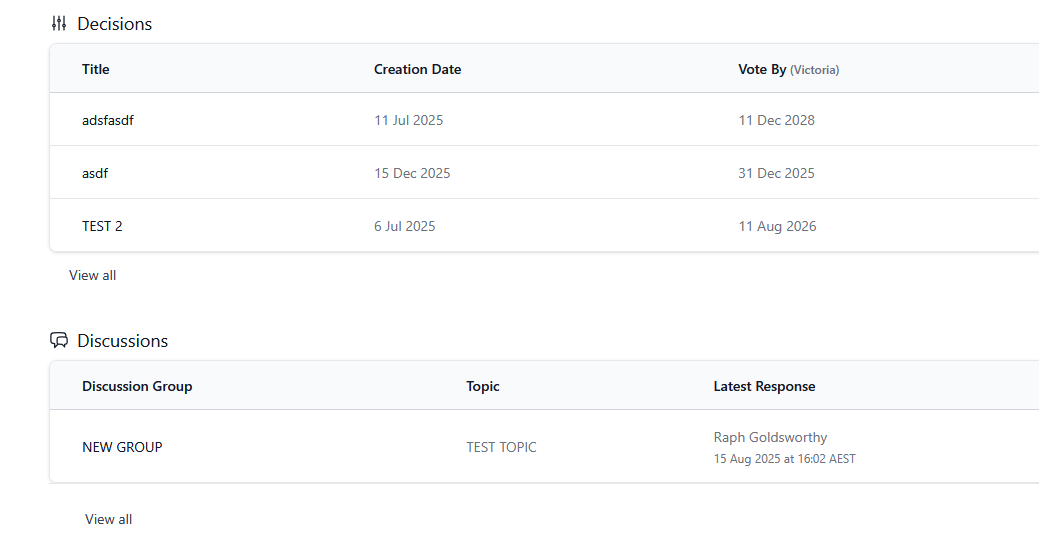
The Decisions section displays decisions you have been invited to vote on, showing the date each was created and voted on. Click on a decision to view results or generate a PDF. If you have been added to a decision as a viewer only, it will not appear on the dashboard — navigate to Decisions from the left menu to find it.
For more information on decisions, see Decisions.
Discussions
The Discussions area displays recent discussions from any discussion groups you have been added to. Each item shows the topic and the date of the latest response. Click on a discussion to read and comment.