Appearance
Between Meetings
As chairperson, Our Cat Herder helps you stay across actions, communicate with members, and keep things on track between meetings.
Monitor Outstanding Actions
Actions assigned at the last meeting should be progressing. Checking in regularly helps you spot blockers early.
The Actions page in the left menu only shows actions assigned to you — being the chairperson of a meeting does not give you visibility of other members' actions here.
To see all actions for a meeting, open the meeting and click the Actions dropdown on the Papers tab to view the current or closed actions PDF.
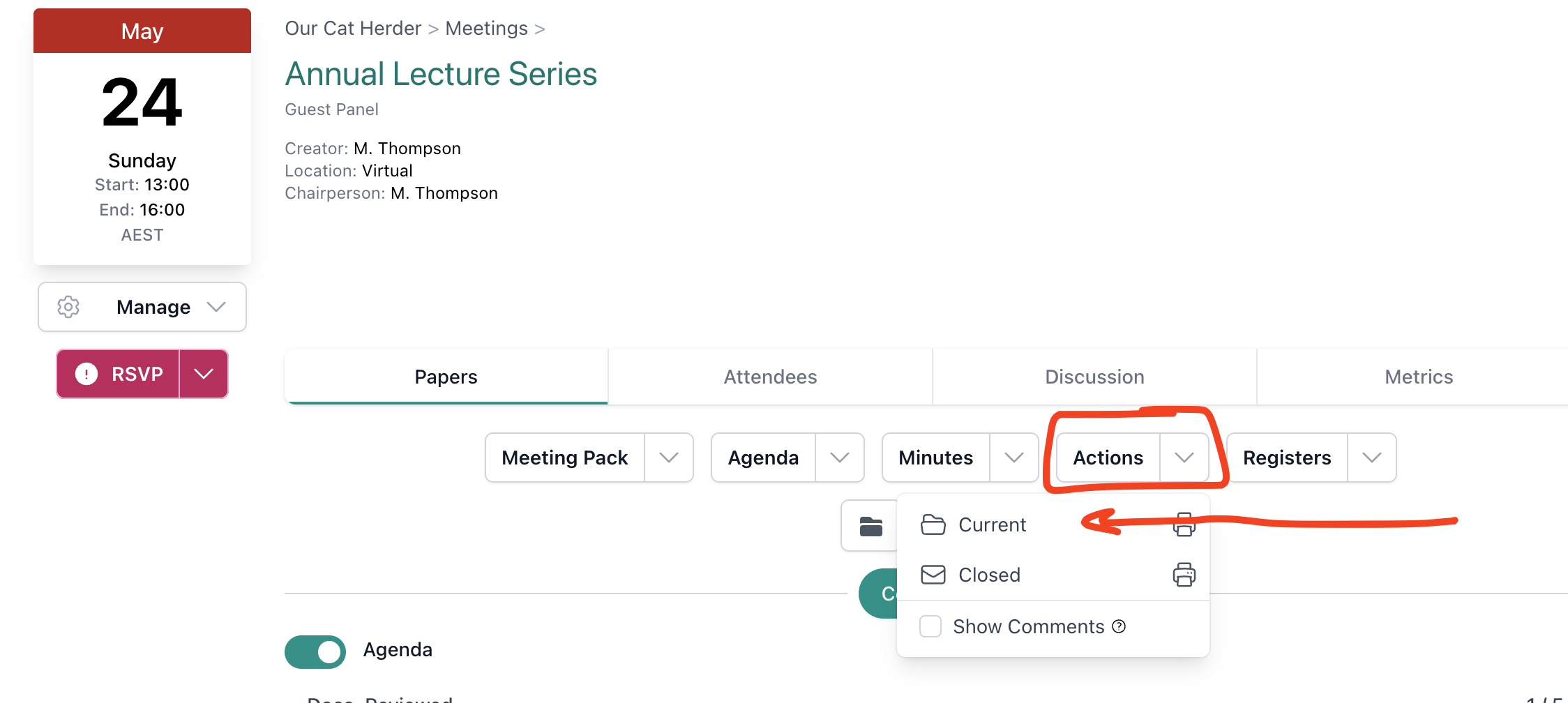
If an action is overdue or stalled, follow up with the action owner directly or via the meeting Discussion tab.
Stay Across Discussions
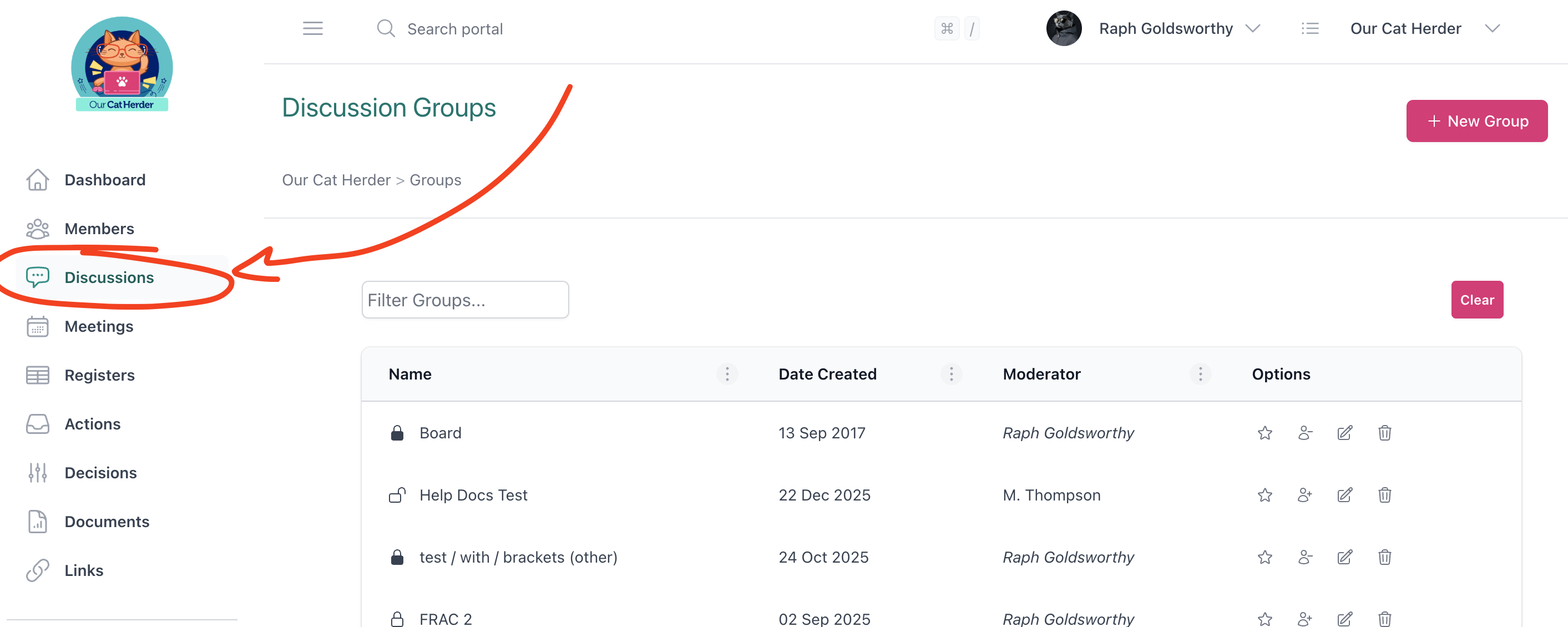
The Discussions area lets you communicate with board or committee members between meetings. Monitor active threads and contribute where needed.
- Check the Discussions page in the left menu for any active threads.
- Use discussions to seek input on items that will come to the next meeting.
- Respond to questions or comments from other members.
You can also use the Discussion tab on the next upcoming meeting to start pre-meeting conversations once it has been created.
Circular Resolutions
INFO
Circular resolutions are also sometimes known as flying minutes.
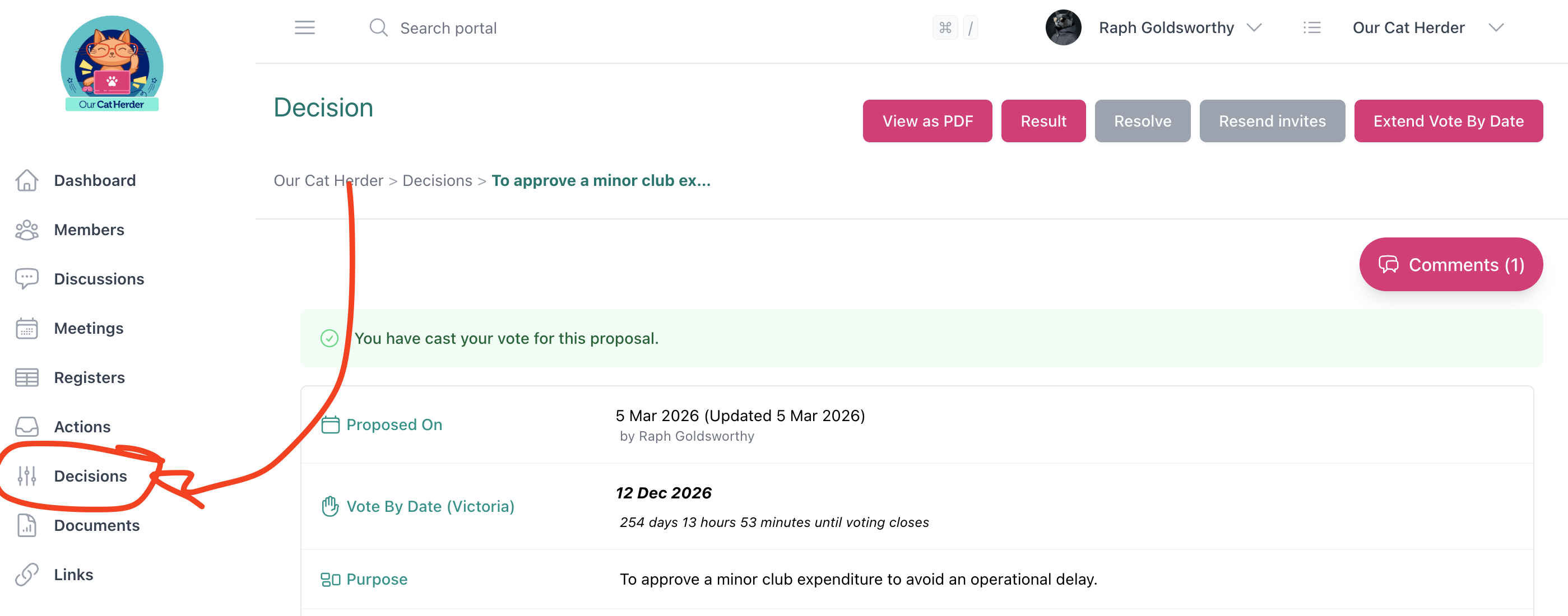
Between meetings, your organisation may use circular resolutions to make decisions that cannot wait until the next scheduled meeting. If a proposal is raised, you will receive an email notification inviting you to vote.
- Click Decisions in the left menu to see any open proposals.
- Review the proposal details, background, and any attachments.
- Cast your vote before the voting deadline.
Check Documents and Registers
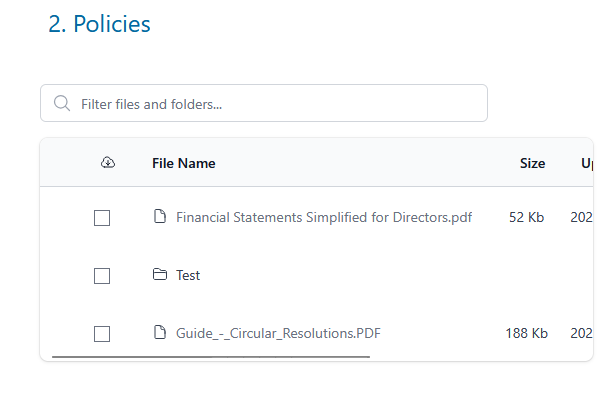
Between meetings, new documents or register updates may be uploaded by your Admin or other members.
- Check the Documents area for any new policies, reports, or reference materials.
- Review Registers for any updates to standing registers (e.g. conflict of interest, risk register).
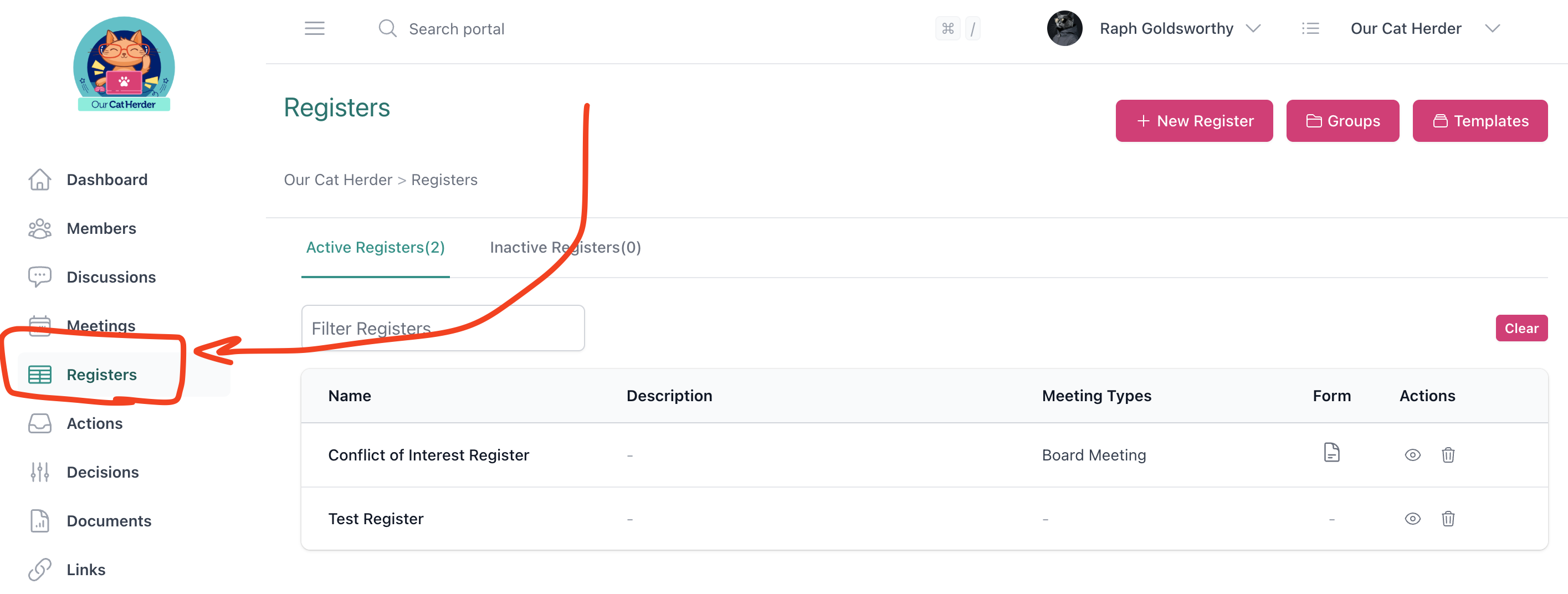
Contributing to Registers
If your Admin has turned on forms or made you a contributor on a register, you can also add and update entries directly. Check with your Admin if you are unsure whether you have contributor access.
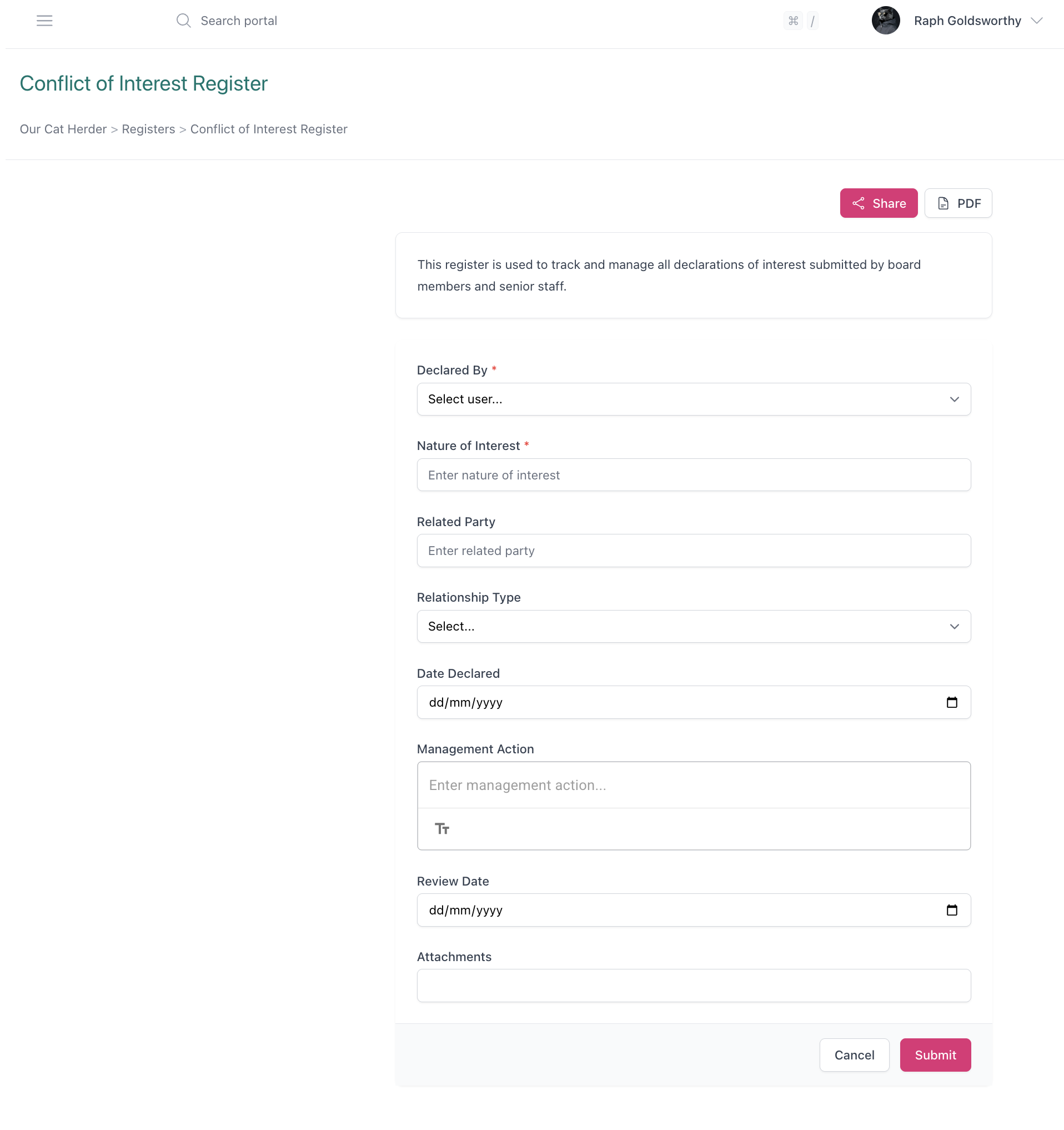
Checking these regularly means you will be up to date before the next meeting.
Prepare for the Next Meeting
As the next meeting approaches, start thinking about the agenda and what needs to be covered.
- Review the actions list to identify items that should be reported on at the next meeting.
- Note any decisions that need follow-up or review.
- Consider whether any new agenda items are needed based on discussions or events since the last meeting.
- Communicate with your Admin about agenda items you want included. Suggest your Admin use the Agenda Alignment Planner to align agendas across multiple meetings.
Between Meetings Checklist
- Checked outstanding actions — followed up on overdue items
- Monitored discussions and responded where needed
- Reviewed recent decisions and confirmed follow-up is underway
- Checked for new documents or register updates
- Communicated agenda priorities to Admin ahead of next meeting