Appearance
Delete an Attachment from a Meeting Agenda
You can remove attachments from agenda items and sub-items directly in the agenda builder.
Steps
- Open the meeting and navigate to the agenda builder.
- If your agenda items are collapsed, click Expand All to reveal all items, sub-items, and their attachments.
- Find the agenda item or sub-item that has the attachment you want to remove.
- Click the three dots (⋮) to the right of the attachment.
- Select Delete from the menu.
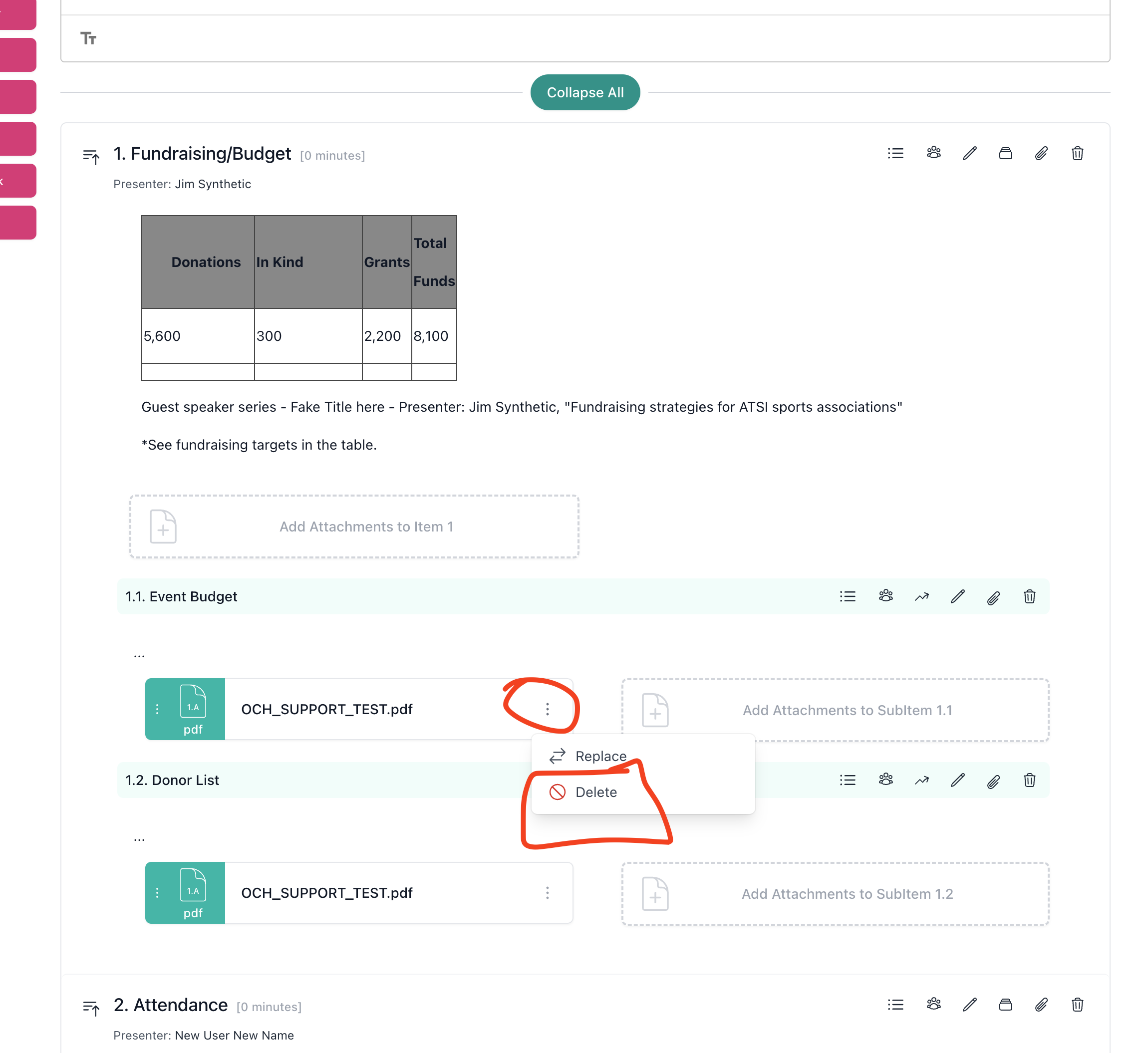
The attachment will be removed from the agenda item immediately.
Replacing an Attachment
If you need to swap an attachment for a newer version, you can select Replace from the same three-dot menu instead of deleting and re-uploading.